
Schools & universities
ICT for schools and universities, planned around the academic year
Websites parents can use, email that stays with the school, labs that work all term, protected learner data and support timed so lessons are never disrupted.
- School websites
- Staff email
- Computer labs
- Learner data protection

Term-aware supportHolidays for big changes
Technology that serves teaching, learning and administration
Schools, colleges, universities and training institutes rely on technology in three different ways at once. Learners use computer labs and, increasingly, their own devices. Teachers prepare lessons, record marks and communicate with parents. Administrators run admissions, fees, timetables, examinations and reporting. Each group has different needs, and all of them depend on the same website, email, network and support.
Generation Solutions works with nursery and primary schools, secondary schools, international schools in the region, music schools and health and tourism training institutes. This page brings together everything an institution needs to think about. For focused detail, see school website design and ICT support for schools.
Who your technology serves
Prospective parents & students
Need admissions information, fees guidance, location and contacts — on a phone, quickly.
Current families
Need term dates, notices, results announcements and a reliable way to reach the right office.
Teachers
Need working classroom equipment, shared schemes of work and simple ways to record and share information.
Administrators
Need dependable computers, school management systems, printing and backed-up records.
Learners
Need functioning lab computers, safe internet access and, at higher levels, learning platforms.
Boards & partners
Need clear reporting, accountability for equipment and evidence of good governance.
The school website: your front door
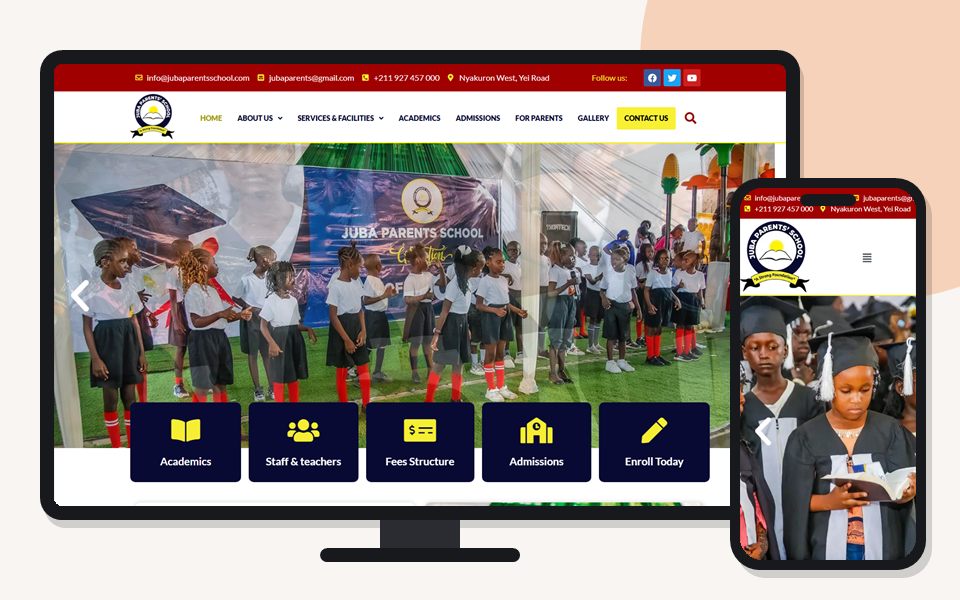
Before visiting, most parents look a school up online. A school website should answer their questions immediately: levels and curriculum, day or boarding, location and transport, admissions steps, how to get fees information and who to contact. Current families need term dates, notices and achievements, kept up to date by staff. See school website design for the full guide, and several school websites we have built below.

Email and communication
Role-based addresses — admissions@, bursar@, headteacher@, deputy-academics@ — stay with the school when staff change, so parents always know where to write. Individual staff accounts on the school’s domain look professional and can be disabled when teachers leave. Many institutions also qualify for Microsoft’s education plans, subject to eligibility, giving staff email, shared documents and Teams. See Microsoft 365 services.
Computer labs that work all term
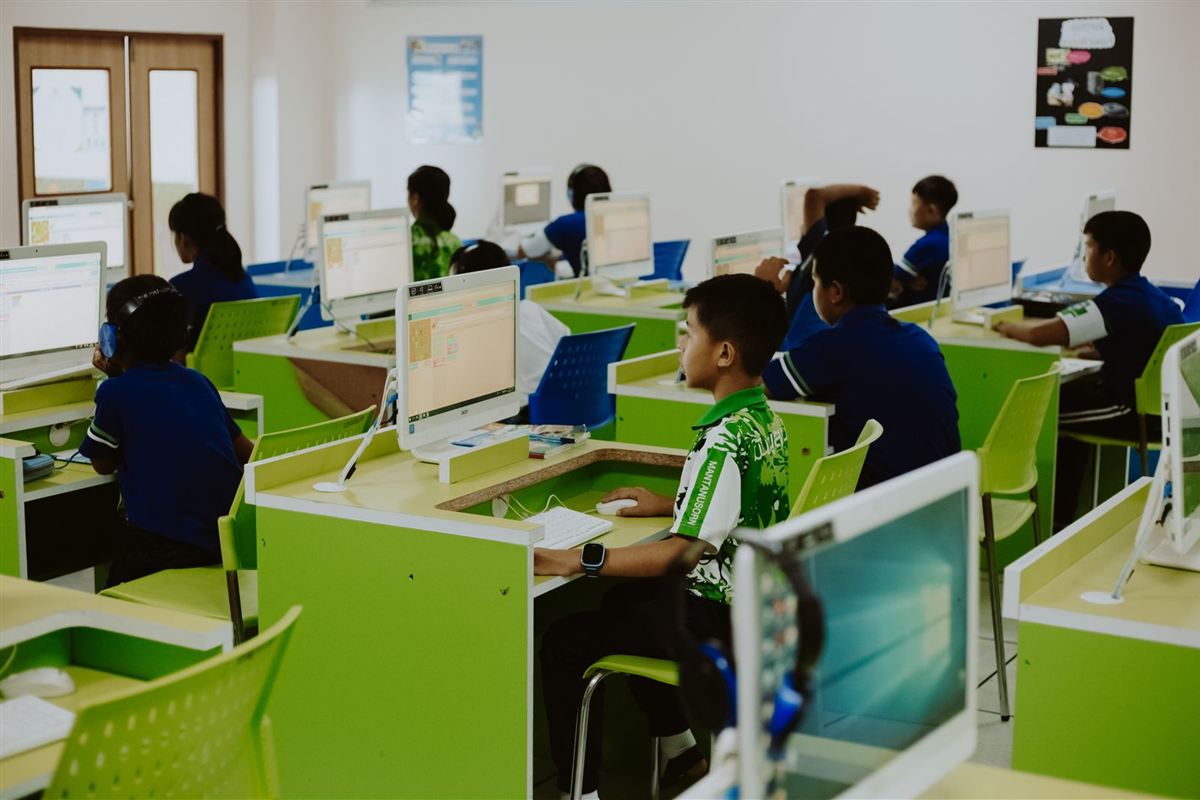
Labs face heavy daily use and constant risk from changed settings, unauthorised software and infected flash disks. Standardised machines, restricted learner accounts, antivirus with automatic scanning of removable drives, and maintenance during holidays keep them usable. Teachers should have a short card of quick fixes for common problems, so a lesson isn’t lost while waiting for help.
School management and administrative systems
Admissions, fees, timetables, marks and report cards often run on a school management system, sometimes cloud-based and sometimes installed on an office computer. We support the computers, printers, network and backups around those systems and work with the vendor on application issues. Most important of all, back up fees and results data away from the office computer, and test a restore.
Protecting learner data
Schools hold personal data about children — names, dates of birth, health information, family contacts, fees records and results. Uganda’s Data Protection and Privacy Act, 2019 applies, and parents expect you to handle it with care.
- give staff individual accounts and access only to the records they need;
- keep results and personal data off public pages and shared lab computers;
- obtain consent before publishing photos of learners, and avoid naming individual children;
- back up administrative records securely and test restores;
- remove access promptly when staff leave.
Network, Wi-Fi and online safety
School compounds need networks designed for many simultaneous users: separate networks for learners, staff, administration and guests; Wi-Fi that reaches classrooms, the staffroom and the library; and content filtering for learner access where equipment allows. Online safety also needs clear rules and supervision, not just technology. See network support.
Planning around the school calendar
| When | ICT focus |
|---|---|
| Holidays | Lab maintenance, upgrades, new equipment, account creation, website updates for the new term |
| Admissions season | Website admissions pages, enquiry forms and email response times |
| Start of term | Fast support for offices and classrooms; new staff onboarding |
| Examinations | Printing, exam systems and stability — no changes |
| Reporting | Report generation, printing and parent communication |

Supporting teachers with technology
Technology helps in class only when teachers are confident with it. Short, practical sessions — sharing documents, using projectors, recording marks, recognising phishing emails, saving work safely — are more effective than lengthy courses. We schedule training around the timetable, often during holidays or staff development days.
Colleges, universities and training institutes
Tertiary institutions add programme catalogues, student portals, learning management systems, research publications and multiple departments. Their websites need careful information architecture so applicants can compare programmes and departments can maintain their own sections. Behind the scenes, separate networks for students and administration, structured support processes and asset registers by department keep things manageable. We work alongside in-house ICT teams where they exist.
Buying, receiving and retiring equipment
Institutions acquire equipment through purchases, government programmes, donors and alumni. We help write specifications for lab and office use and assess donated equipment before you deploy it. We set up new machines consistently and keep an asset register for boards and donors. We also wipe old devices securely before disposal, so learner and staff data doesn’t leave with them.

Budgeting ICT realistically
Education budgets are tight, so plan ICT across several years. Replace some lab computers each year instead of all at once. Include recurring costs such as internet, email, antivirus and printing, and keep a small fund for repairs. Asset registers and health checks give bursars evidence to justify spending to boards and parent associations.
Being found by parents
Parents search by location and level: “nursery school Kira”, “boarding secondary school Mukono”, “international school Juba”. Clear location, level and curriculum information on the website, an accurate Google Business Profile with photos and opening hours, and up-to-date admissions pages make the biggest difference. We never promise rankings, but these basics matter most.
Communicating with parents
Schools communicate with parents through notices, SMS, WhatsApp groups, email and the website. Without a plan, messages contradict each other and important announcements get lost. Agree what each channel is for, and who may send official messages. For example, send urgent notices by SMS, detailed circulars on the website and by email, and general updates in moderated WhatsApp groups. The website becomes the permanent, searchable record that every other message links to.
Laptops, tablets and learners’ own devices
Some schools issue tablets or laptops to learners, and older students increasingly bring their own phones and laptops. Each approach needs rules and technology: device management for school-owned equipment, a separate network for personal devices, content filtering, and clear policies on acceptable use and responsibility for damage. Planning these before devices arrive avoids problems that are hard to fix later.
Examinations, marks and results
Entering marks, producing report cards and preparing results put the heaviest load on school systems. Before each period, we check that the computers, systems and printers work. We also confirm that templates and data are backed up and that staff accounts are ready. Share results through secure portals or directly with families. Never post them as identifiable lists on public pages.
Alumni, community and fundraising
Established schools often have alumni who want to stay connected and support development projects. A simple alumni section on the website, an events calendar, and clear information about how to contribute to a building fund or scholarship help maintain those relationships. Depending on your finance procedures, you can accept donations through bank details, mobile money codes or an online giving page.

Governance and reporting to boards
Boards of governors and parents’ associations increasingly ask how ICT budgets are spent. An asset register, maintenance records, a list of recurring costs and a short annual summary answer those questions clearly. The summary says what you achieved and what you plan next. We provide these for schools on support arrangements, so head teachers and bursars can report with confidence.
When teachers and staff change
Schools see staff changes at the end of every term and year. A simple routine keeps continuity and protects learner data. Create accounts for new staff before term starts, and give them access to the right shared folders and class groups. Disable leavers’ accounts, but keep their files. Role-based addresses mean parents never lose contact with an office because one person moved on.
How we work with schools
Meet leadership
Understand the school’s priorities, calendar, budget and current setup.
Assess
Website, email, labs, office systems, network and data protection.
Plan
A prioritised plan, timed around terms and holidays.
Implement
Holiday work for labs and systems; website and email updates before admissions.
Support
Term-time support for offices and classrooms, remote and on-site depending on location.

Your next step
Share the number of learners, computers, labs and staff, plus your term dates. We will suggest a support arrangement and an improvement plan timed around the school calendar, starting with a check before the next term opens.
Education ICT questions
Can schools get Microsoft 365 at education rates?
Eligible institutions may qualify for Microsoft’s education plans. We check current eligibility with you before recommending.
How do we stop learners damaging lab computers?
Restricted accounts, standardised setups and regular maintenance prevent most problems; machines can be reset to a standard configuration.
Should we publish fees on our website?
That is the school’s decision. Either publish a current schedule or explain clearly how parents can request it.
Can you support schools outside Kampala and in South Sudan?
Yes. Much of our work is remote, and we have built websites for schools in the region. On-site support depends on location.
How do we protect results and learner records?
Limit access by role, keep records off public computers, back them up securely and test restores.
Can you help with donated equipment?
Yes. We assess it, set it up consistently and record it in the asset register.
Can learners bring their own devices?
Many schools allow it for older students. Put personal devices on a separate, filtered network and agree clear rules on acceptable use and responsibility.
Portfolio
School and college websites we’ve built

Ashwood Comprehensive School
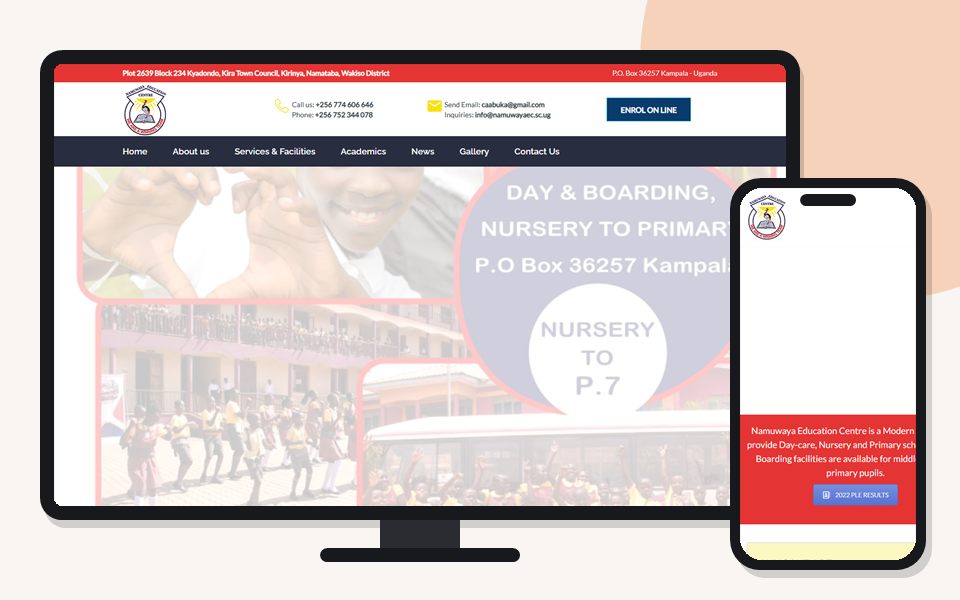
Namuwaya Education Centre
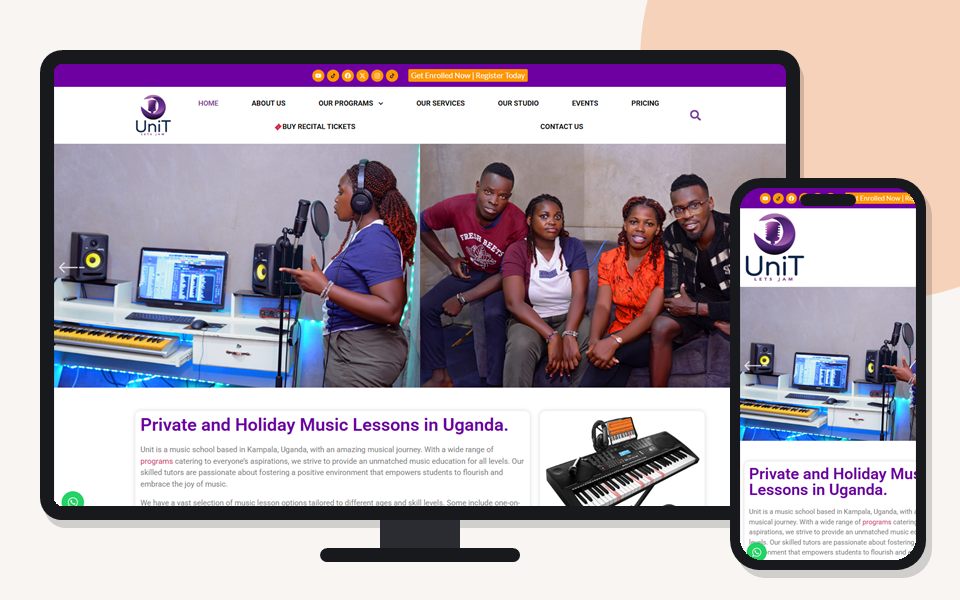
Unit School of Music

BioCity Global Health Education & Training Institute
